


My Town World - Mega Doll City
4.31.46K Reviews
App Specs
- Version
- 1.76.0
- Updated On
- License
- Free
- Downloads
- 10,000,000+
- Developer
- My Town Games Ltd
- Categories
- Educational
- Platform
- Android
Screenshots
 Analysis by AppCompare
I usually judge a children’s creative game by what it gives a player to do after the first few minutes of novelty wear off. My Town World - Mega Doll City takes a different route from games built around missions: it offers an open-ended dollhouse world, where the player supplies the purpose. That makes it a natural fit for children who like arranging characters and inventing scenes, though it may feel aimless to anyone expecting levels, scores, or a steady chain of rewards.
As an educational game from My Town Games Ltd, it brings together playhouses and doll characters in a shared setting. Its early appeal is easy to understand: pick a place, move people around, and start a story. The challenge is less about mastering controls than deciding what to do next. I think that distinction matters for parents choosing between a creative play app and a conventional game with clear objectives.
What gives a new player a reason to begin?
The first goals are self-made rather than assigned. A child might decide that a family needs breakfast, that a shop has run out of supplies, or that a school day has gone wrong. The range of settings gives those ideas somewhere to happen, while the characters provide ready-made pieces for a scene. The pleasure comes from making a small situation feel like a complete story, not from being told to finish a task.
That freedom is a strength when a player already enjoys pretend play. It is also the first possible sticking point. A child who asks, “What do I do now?” may benefit from an adult suggesting a simple starting prompt, such as moving a character from home to another setting and deciding why they went there. Once the story has a starting problem, the open structure becomes easier to use.
In my experience, a useful way to introduce it is to offer one choice at a time rather than explain the whole world. Ask the child to choose a character, then choose a place, then invent one thing that happens. This keeps the opening manageable and lets the player discover the interactions at their own pace. It also avoids turning a pretend-play game into a lesson with an adult directing every move.
Progress is measured in stories, not levels
There is no conventional progress ladder at the heart of this experience. The signals that play is going well are personal: a child remembers where a character was, returns to an unfinished scene, or adds a new twist to a story. That can be satisfying for a player who likes to revisit and elaborate on ideas, but it will not replace visible level completion for someone who needs a clear finish line.
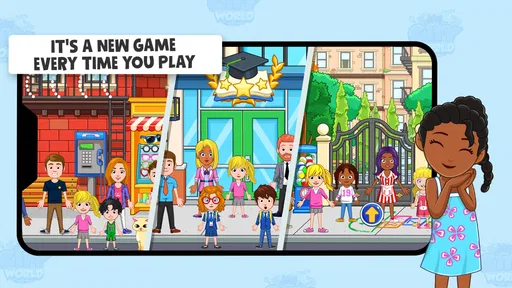
The large shared world can make a session feel like a sequence of connected episodes. A child might begin with a problem at home, take the characters elsewhere, and bring them back with a new explanation for what happened. A practical tip is to let the player settle on a small cast instead of moving every character at once. Fewer people in a scene can make it easier to follow the story and remember who is doing what.
Worth Reading Before You Choose

EA SPORTS FC Mobile 26 Is a Bigger Football Game, but It Takes Time

Flipboard Shows What News Apps Must Do Beyond the Feed

Switching to Android Auto Means Rethinking Your Driving Routine

Google Calendar Makes a Crowded Week Easier to Manage

Ludo King Makes the Most of the Minutes Between Plans

Baby Panda World Brings Quick Play to Modern Phones, but Its Game Library Feels Busy
The game is free to start, and the broader My Town and My City collection is presented as a large set of playhouses and doll characters. In practice, that scale is both an invitation and a decision point: players who love exploring different settings may enjoy having plenty to browse, while families should check how the available content fits their expectations before treating the whole experience as one unrestricted package. In-app purchases range from $0.99 to $99.99 per item, so I would review purchase settings with a child before handing over a device.
How the challenge curve works—and where it does not
Because the play is open-ended, the difficulty curve is gentle in one sense: players are not asked to beat an opponent or solve increasingly difficult puzzles. A young child can move characters and build a simple scene without first learning a complicated rule system. The harder part is sustaining an idea. Some children will naturally keep inventing; others may need a prompt, a companion, or a break before the world feels engaging again.
That makes it different from puzzle games and platformers in the same broad children’s-games space. Those alternatives usually provide a specific objective and feedback when a player succeeds. Here, the reward is imaginative ownership: the child decides what counts as a successful scene. If you are choosing an app for a short, goal-focused play session, a level-based game may be a better match. If you want a digital version of toys spread across a playroom, this format is closer to the mark.
One useful trade-off is that adults can join in without needing to compete or take over the controls. A parent can play the role of a character, ask what happens next, or let the child direct the scene. That makes it suitable for a quiet shared activity, but it is not automatically a hands-off substitute for supervision. I would still check the device’s purchase controls and stay nearby for younger players, especially if they are exploring a large collection of content.
What keeps play going, and what can interrupt it?
The strongest reason to return is the ability to continue a story or start a different one in another setting. There is no pressure to keep up with timed challenges, so a child can stop when the story reaches a natural pause. That relaxed pacing is a welcome change from games that constantly push the player toward the next reward. It also means the app may not provide enough direction for a child who wants the game itself to set daily goals.
For a realistic everyday use, imagine a rainy afternoon when a child has already tired of drawing but still wants imaginative play. You can suggest a short scenario—someone has to get ready to go out, but something is missing—and let the child decide which characters and locations make sense. If interest fades, you can stop without leaving a difficult level unfinished. If the child picks the story up later, the same open-ended setup makes it easy to invent a new direction rather than repeat a fixed sequence.
There is a retention trade-off here: because the game does not rely on a demanding challenge curve, it is less likely to frustrate a young player, but it may also be less compelling to children who are motivated by unlocks, scores, or clear milestones. I would not choose it as a replacement for every kind of game. It serves a particular mood—unhurried pretend play—and works best when that is what the child wants.
Who is likely to enjoy it?
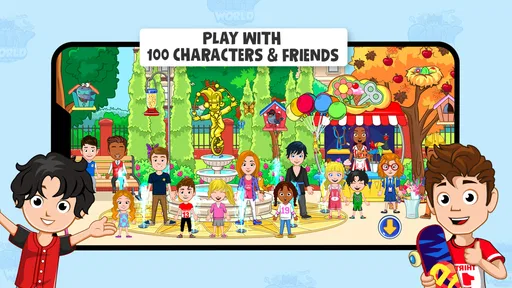
I would recommend it most to children who already make up stories with dolls, figures, or toy houses. The familiar play pattern lowers the barrier to entry, and the variety of places gives a child material for changing the setting without changing the basic way they play. It can also work well for a sibling or adult to join in, provided the child remains the one shaping the story.
It is less suitable for players who want a clear objective every time they open a game, or for parents specifically looking for structured lessons and measurable educational exercises. Although it sits in the educational category, its educational value is mainly in creative role-play and storytelling rather than a formal sequence of subjects. If your priority is practicing a particular academic skill, an app designed around that skill will be more direct.
It is rated Everyone, has an average rating of 4.3 from around 102,000 ratings, and has been installed over 10 million times. Those figures suggest a broad audience, but they do not tell me whether a particular child will enjoy unstructured play. I would use the child’s existing interest in pretend stories as the better guide. The game is free, with optional in-app purchases, so the family’s comfort with browsing and paid content is another practical part of that decision.
Welcome to the Ultimate Dollhouse Experience
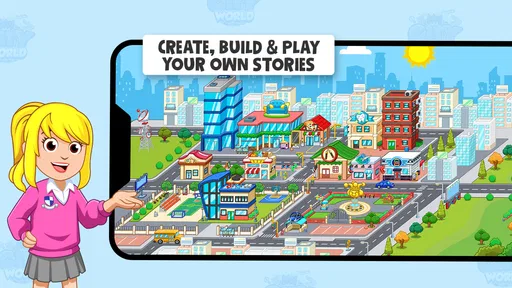
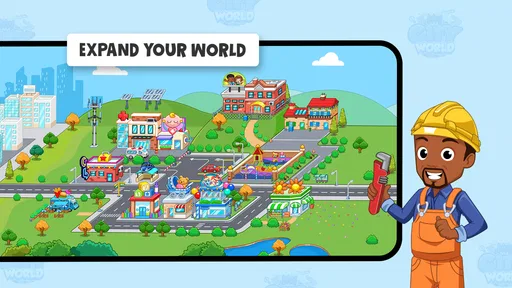
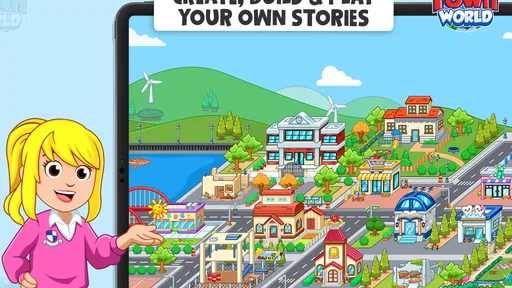
Alright, so picture this: a sprawling city bustling with activity, where every building has a story and every character a unique personality. My Town World - Mega Doll City is like having a massive dollhouse, but instead of just one house, you have an entire city to explore. How cool is that?
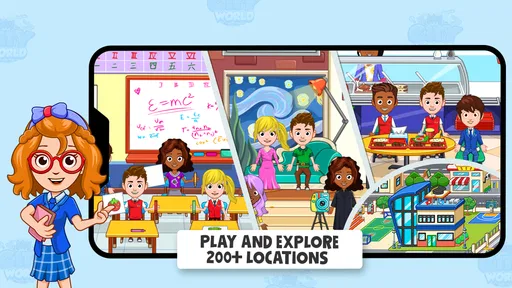
The game’s universe is vast, offering locations that range from a cozy family home to a bustling supermarket, and even a school. Each location is packed with interactive elements. Trust me, you’ll find yourself spending hours just exploring all the nooks and crannies.
Endless Creativity at Your Fingertips
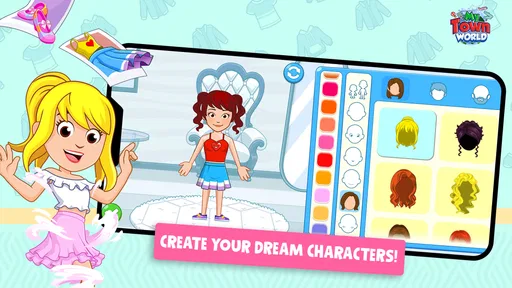
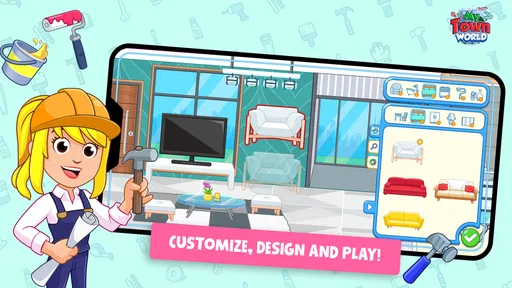
One of the things I absolutely love about this game is the level of creativity it fosters. You're not just stuck in a static environment. You can move characters around, change their outfits, and even create your own stories. It’s like being the director of your own little movie. And the best part? No scripts or rules—just pure, unadulterated creativity.
The app encourages role-playing, which is fantastic for kids as it helps develop their storytelling skills. Plus, it's a great way to bond with your little ones. I’ve spent countless afternoons with my nieces creating epic tales about princesses and pirates. Seriously, the possibilities are endless.
Kid-Friendly and Safe
Now, I know what you’re thinking—"Is it safe for my kids?" Absolutely! The developers have done a stellar job ensuring that the app is completely kid-friendly. There are no ads to interrupt the fun, and the controls are intuitive enough for even the youngest players to navigate. It’s a safe digital space where kids can play without any worries.
For a parent, I would still distinguish between a child-friendly style of play and the practicalities of using a free game with purchases available. The game is free, but individual in-app purchases range from $0.99 to $99.99. I recommend checking purchase settings before a child plays independently and agreeing on what to do if a locked or paid item catches their attention. That small bit of preparation can prevent an otherwise enjoyable session from turning into a negotiation over purchases.
Graphics and Sound: A Feast for the Senses
The graphics in My Town World - Mega Doll City are simply delightful. They’re colorful and vibrant, perfectly capturing the whimsical essence of a doll city. The characters are expressive, and the attention to detail in each location is impressive. And let’s not forget the sound effects! The cheerful background music and interactive sounds add an extra layer of immersion, making the whole experience even more enjoyable.
For children who like to build a story out of small visual cues, those details can help prompt the next idea: a character’s outfit can suggest a role, while a setting can suggest what might happen there. I find that this is most useful when a child is temporarily stuck for a plot. Rather than supplying a whole story, point to one detail and ask what it could mean. The child still makes the decisions, and the environment becomes a prompt instead of just a backdrop.
Easy to Download and Start Playing
Getting started with the app is a breeze. It’s available on both Android and iOS, and the download process is quick and straightforward. Once installed, you’re greeted with a simple tutorial that helps you get the hang of things. Before you know it, you’ll be building your own city adventures.
The current version is 1.76.0, and it requires Android 7.0 or later on Android devices. The game was released on Dec 24, 2021, and its Everyone age rating gives families a useful starting point when deciding whether its style is appropriate. I would still make the first session a shared one: it gives you a chance to see whether your child understands how to move between scenes and whether the open-ended format holds their attention.
"Imagination is the only weapon in the war against reality." - Lewis Carroll
This quote perfectly encapsulates what My Town World - Mega Doll City embodies. It’s a sanctuary where reality takes a backseat, allowing imagination to take the wheel.
Final Thoughts
So, if you’re on the hunt for a game that offers endless entertainment and fosters creativity, this is it. Whether you’re a parent looking to engage your kids in a creative activity or an adult wanting to relive your childhood memories, My Town World - Mega Doll City is a gem. It’s more than just a game—it’s an invitation to explore, create, and imagine.
Ready to dive into your own mega doll city? Check out the app today and let your imagination run wild!
Pros
- Expansive world with diverse locations.
- Interactive gameplay for creative fun.
- Suitable for all age groups.
- Regular updates with new content.
- Encourages imaginative play.
Cons
- Some areas require in-app purchases.
- Occasional glitches in character movement.
- Limited free content access.
- Can be resource-heavy on older devices.
- Ads can interrupt gameplay.
FAQs for My Town World - Mega Doll City
What is My Town World - Mega Doll City about?
My Town World - Mega Doll City is a vibrant and interactive virtual environment designed for children. It allows players to explore a comprehensive doll city, engage with various characters, and create their own stories. The game encourages creativity and role-playing, making it an excellent educational tool for imaginative play.
Is My Town World suitable for all age groups?
While My Town World - Mega Doll City is primarily designed for children, it is best suited for ages 4 to 12. The game’s content is child-friendly, and its intuitive interface makes it easy for young players to navigate. However, it can also be a fun experience for older siblings or parents playing along.
Does My Town World require an internet connection?
My Town World - Mega Doll City can be played offline, which is fantastic for on-the-go entertainment. However, certain features, updates, or in-game purchases may require an internet connection. Always check your connection settings if you plan to access additional content or updates.
Are there in-app purchases in My Town World?
Yes, My Town World - Mega Doll City offers in-app purchases. These purchases can unlock additional content, characters, and customization options. It's important for parents to monitor these purchases and set spending limits if necessary, ensuring a safe and controlled gaming environment for children.
How does My Town World support child learning and development?
My Town World - Mega Doll City supports child development through its rich storytelling and interactive elements. The game encourages problem-solving, creativity, and social interaction as children navigate scenarios, interact with characters, and create their own narratives. It combines fun with educational value, making it beneficial for cognitive growth.


